If you have ever wondered how to create an automated blog that keeps publishing even while you sleep, you are in the right place. Automated blogs let entrepreneurs, marketers, and freelancers publish consistent, SEO-ready content without spending hours writing every day. This guide explains what an automated blog is, how it works behind the scenes, and walks you through a practical automated blog setup guide — including options to start an automated blog for free. By the end, you will have a clear automated blog tutorial to follow from first click to first published post.
What Is an Automated Blog and How Does It Work?
The core concept behind automated content production
An automated blog is a website where software handles the repetitive parts of content creation — researching topics, drafting articles, formatting them, and scheduling publication — while you remain the strategic decision-maker. Think of it as an assembly line for content: each stage of the process, from keyword discovery to the final “publish” click, is handled by a tool configured once and then run repeatedly. The core idea is leverage. Instead of trading hours of writing for each post, you invest upfront time building a pipeline, and that pipeline keeps producing long after the initial setup is complete. This is not about removing yourself from the process entirely; it is about moving your effort from execution to direction, where your judgment has the highest return.
Key components: CMS, AI writing, scheduling, and analytics
Every automated blog stack rests on four pillars. First, a content management system (CMS) such as WordPress, Ghost, or a hosted platform, which stores and renders your posts. Second, an AI writing tool that turns a keyword or outline into a structured draft. Third, a scheduling and publishing layer that queues drafts, applies templates, and releases them on a fixed cadence. Fourth, analytics software that reports which posts attract visitors so you can double down on what works. When these four components talk to each other through integrations or simple webhooks, a topic can travel from idea to live URL with minimal manual handling. That connected flow is what separates a truly automated blog from a normal blog where you happen to use a few AI helpers.
Where human oversight still matters
Automation handles volume; humans still handle judgment. Factual accuracy, brand voice, original insight, and editorial taste are areas where unattended systems regularly fall short, so a review step before publishing is not optional — it is a design requirement of a good pipeline. A practical pattern is to let the system generate a draft, then spend five minutes per post checking claims, tightening the introduction, and adding a personal example that no tool could invent. This hybrid approach keeps quality high while preserving most of the time savings. As you grow, you will naturally read our Creating a Professional Blog Automatically pillar for a deeper look at structuring the full system.
Why Create an Automated Blog: Benefits and Use Cases
Time savings for solo founders and small teams
The most immediate benefit is time returned to you. A solo founder who used to spend ten hours a week writing can redirect that effort toward product, sales, or partnerships, while the blog continues to ship content on schedule. Small marketing teams see a similar effect: one person can oversee a pipeline that would otherwise require two or three writers, because the bottleneck shifts from drafting to editing. The savings compound because automation also eliminates context switching — you set aside one block of time per week to review and approve, rather than interrupting deep work every day with writing tasks.
How automation supports consistent organic traffic growth
Search engines reward sites that publish regularly, cover a topic thoroughly, and keep their technical health in order — and consistency is exactly what humans struggle to maintain. Automation removes the “busy week, no post” problem by maintaining a steady publishing rhythm regardless of your workload. Over months, this steady cadence builds topic depth, generates internal links between related posts, and creates more entry points for long-tail queries. None of this happens overnight, but consistent output is one of the most reliable inputs to compounding organic traffic, and it is the one thing a disciplined pipeline guarantees.
Common business models powered by automated blogs
Several business models depend on high-volume content and work especially well with automation. Affiliate sites that review products, niche media funded by display ads, local service businesses that need location pages, and SaaS companies that publish educational content all benefit from a steady stream of optimized posts. E-commerce brands also use automated blogs to answer pre-purchase questions that funnel readers toward products. In each case, the economics work because the marginal cost of an additional article drops dramatically once the pipeline exists, making it feasible to cover a broad keyword space that would be uneconomic to write manually.
Planning Before You Build: Niche, Goals, and Content Strategy
Choosing a niche with real search demand
Before touching any tool, validate that people actually search for what you plan to publish. Use keyword research software to estimate monthly volume for a sample of topics in your candidate niche, and look for a healthy spread: a few high-volume head terms plus a long tail of lower-competition queries you can realistically win. A niche where every keyword is dominated by large authority sites is a poor automated bet, because volume alone will not overcome the authority gap. Conversely, a smaller niche with accessible mid-tail terms and clear commercial intent often produces faster returns. Write down the top twenty keywords you would be happy ranking for; if you cannot find twenty, keep looking.
Setting traffic and revenue goals you can actually measure
Vague goals like “get more traffic” cannot steer a system, so convert them into numbers with deadlines. For example, you might target a specific number of monthly sessions within six months, a certain percentage of posts in the top ten results, or a revenue figure from ads or affiliates. Break the horizon into quarterly checkpoints so you can detect early whether the trajectory is right and adjust keyword difficulty, publishing frequency, or topic mix accordingly. Measurable goals also protect you from a common trap: celebrating publishing volume while ignoring whether the content is actually being found. Tie every goal to an analytics source you trust before you begin.
Mapping topic clusters and a publishing calendar
Strong automated blogs are organized around clusters rather than isolated posts. Choose a handful of pillar topics, then generate subtopics that answer specific questions within each pillar, linking every subtopic back to the pillar page. This structure helps search engines understand your topical authority and gives readers a clear path through your site. From the cluster map, build a publishing calendar that sequences posts logically — for instance, shipping the supporting articles before the pillar so internal links land on live pages. A calendar also lets you pace yourself: it is better to commit to four well-planned posts per week than to publish ten unplanned ones and run out of coherent direction.

Automated Blog Setup Guide: Tools and Platforms You Need
Hosting, domain, and CMS options compared
Your foundation starts with a domain name and a place to host the site. Self-hosted WordPress offers the widest plugin ecosystem and the most control, but it requires you to manage updates and security. Hosted platforms such as Ghost or Blogger reduce maintenance in exchange for less flexibility, and they are reasonable starting points for beginners. When comparing options, weigh three factors: how easily the CMS connects to your writing and scheduling tools, how much maintenance it demands from you, and what it costs as traffic grows. A platform that is slightly more expensive but integrates cleanly with the rest of your pipeline usually saves money in the long run by eliminating manual steps.
AI writing, scheduling, and SEO optimization tools
The writing layer turns a keyword and outline into a draft that is close to publishable, which is where most of the daily time savings come from. Scheduling tools then queue posts, apply your template, and release them automatically, while SEO tools handle meta titles, descriptions, internal link suggestions, and readability checks. Create SEO articles, publish automatically and keep your blog growing with AutoBlog is one option that bundles these stages into a single workflow, which is convenient if you would rather not stitch several subscriptions together. Whatever you choose, test the output on a handful of posts before committing, because writing quality and formatting conventions vary significantly between tools.
Connecting it all into one workflow
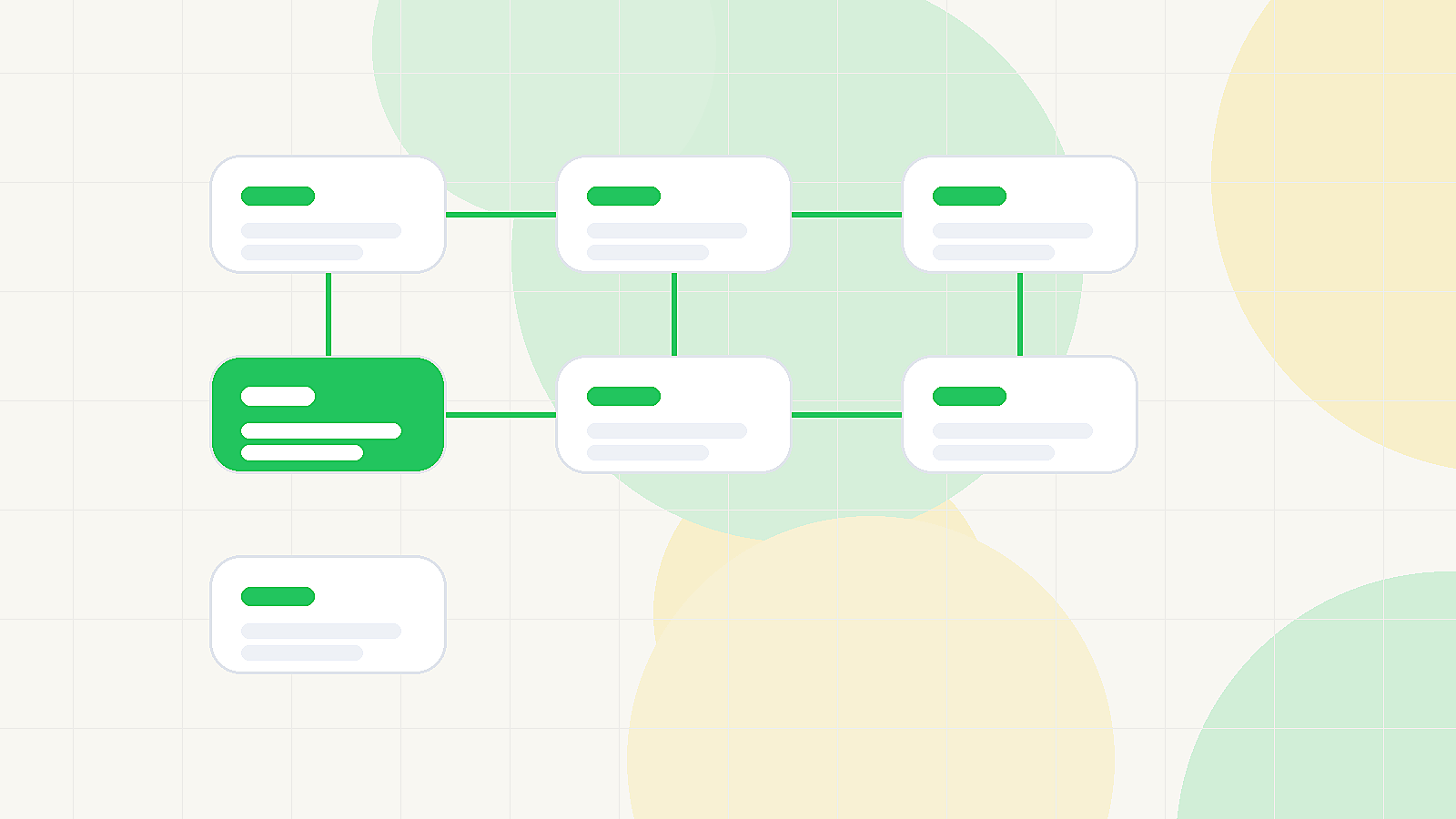
Tools become a system only when they hand work to each other automatically. Connect your keyword source to your writing tool, the writing tool to your CMS via an API or integration, and your CMS to analytics so results feed back into topic selection. Document the flow in a single diagram: idea enters, draft is generated, review happens, post is scheduled, performance is measured. Any step that still requires copy-pasting between three browser tabs is a candidate for automation. For a broader comparison of how these pieces fit together, the Essential Steps for Your Automated Blog Setup Guide walks through the same workflow with more platform-level detail.
Step-by-Step Automated Blog Tutorial: From Setup to First Post
Installing and configuring your CMS
Start by registering your domain and pointing it at your host, then install your CMS with a single-click installer or a hosted signup. During configuration, set your site title, permalink structure (a clean format such as /post-name/ is the usual choice), and the basic pages every blog needs: about, contact, and a privacy policy. Install only the essential plugins at first — a caching plugin for speed, an SEO plugin for meta management, and your scheduling integration — because plugin bloat slows sites and complicates maintenance. Finally, create an author profile and a default post template with your heading hierarchy, spacing, and call-to-action placeholders so every future draft lands pre-formatted.
Building your content pipeline from idea to published draft
With the CMS ready, connect your AI writing tool and define the input it needs: target keyword, audience, tone, desired length, and internal links to include. Create a simple queue — a spreadsheet or project board works — that moves each topic through stages such as queued, drafted, in review, scheduled, and live. Configure your scheduler to pull approved drafts from the queue and publish them at your chosen cadence, then run a batch of three to five test topics end to end. Watching the full cycle once, from raw keyword to visible post, will expose the integration gaps you need to fix before scaling. For a more granular walkthrough of each click, follow the Step-by-Step Guide: How to Create an Automated Blog Easily.
Running a quality check before you hit publish
Build a short checklist and apply it to every post before it goes live: Are the facts correct? Does the introduction promise something the article delivers? Are headings descriptive and unique? Are there at least two relevant internal links and one credible external source? Does the post read like it was written for a person rather than a keyword? A five-minute pass against this list prevents the most common automated-blog failure mode, which is a flood of plausible-sounding but shallow posts that erode trust with both readers and search engines. Keep a running log of issues you catch, because patterns in that log tell you which prompts or templates need adjusting.
How to Launch an Automated Blog for Free
Free tools that cover writing, publishing, and analytics
A zero-budget launch is entirely possible. Blogger, WordPress.com’s free tier, and similar hosted services give you a site without hosting costs, while several AI writing tools offer free monthly credits sufficient for a handful of drafts. Google Search Console and Google Analytics provide keyword and traffic data at no charge, and free scheduling options exist inside most CMS platforms. The practical recipe is to pick one free tool per stage of the pipeline — writing, publishing, measurement — and connect them manually if no native integration exists. Manual connections are slower, but they still deliver a functioning automated blog that can start accumulating indexed pages.
Smart limits of a zero-budget setup
Free tiers come with trade-offs you should plan around rather than discover mid-launch. Expect platform branding on your site, limited storage or bandwidth, caps on monthly AI-generated words, and fewer design customization options. Free plans may also queue your posts behind ads or restrict the plugins you can install, which can slow publishing cadence. Decide in advance which limitation you can tolerate for the first three months — usually branding is acceptable early on, while a strict word cap that blocks your calendar is not. Treating the free setup as a deliberate validation phase, rather than a permanent solution, keeps expectations realistic.
When it is time to upgrade your stack
Upgrade when a specific constraint starts costing more than the plan costs. Common triggers include hitting a monthly word limit every cycle, needing custom domain email for credibility, wanting advanced analytics, or losing hours each week to manual transfers between tools. A useful rule: if you can attribute lost revenue or lost time to a free-tier limitation two months in a row, move to a paid plan. Prioritize upgrades that remove bottlenecks in your publishing pipeline rather than ones that merely add features. If you are still mapping the full free path, the Launch an Automated Blog for Free: Step-by-Step Guide covers the budget-friendly route in detail.
SEO Foundations That Make Your Automated Blog Rank
Keyword research and internal linking on autopilot
Automation shines when keyword research runs as a recurring job rather than a one-off exercise. Schedule weekly pulls of related queries, cluster them by intent, and feed the clusters directly into your writing queue so drafts always target a validated term. Pair this with an internal linking rule: every new post must link to two existing relevant articles, and at least one older article must link back to the new post. This creates the connective tissue search engines use to understand your site’s structure. Automating both sides — outward to new keywords and inward to existing content — keeps the site growing coherently instead of accumulating orphaned pages.
Meta tags, schema markup, and technical checks
Technical SEO is the part automation handles best, because the rules are explicit. Configure your CMS or SEO plugin to generate unique meta titles and descriptions from a template, add schema markup for articles and FAQs so search results can display rich features, and run scheduled checks for broken links, missing alt text, slow pages, and crawl errors. Set up alerts so failures reach you rather than waiting for you to notice traffic dipping. A site that stays technically healthy needs fewer recovery efforts later, which means your limited review time can focus on content quality instead of firefighting.
Avoiding duplicate or thin content traps
The fastest way to undermine an automated blog is to publish variations of the same article under different keyword strings. Search engines tend to ignore near-duplicates, and readers notice immediately. Guard against this by enforcing uniqueness checks in your pipeline: before scheduling, compare the draft against your existing corpus for overlapping phrasing, and merge overlapping topics into a single stronger post instead of shipping both. Likewise, set a minimum depth standard — a post should fully answer its query with examples, not just repeat a definition four ways. Quality gates like these are what separate a compounding asset from a pile of ignored pages. For a deeper treatment of these guardrails, see Unlocking the Secrets of an Automated Blog Tutorial for Success.
Publishing, Monitoring, and Scaling Your Automated Blog
Tracking performance with traffic analysis tools
Once posts are live, measurement becomes your primary feedback loop. Track impressions, clicks, average position, and conversions for each post, and segment the data by content type, cluster, and publish date so you can see which parts of the pipeline produce results. Set a weekly review ritual — thirty minutes is usually enough — where you read the top movers and the top decliners and write down one action for each. Consistent monitoring turns raw data into decisions: it reveals which keyword difficulty you can actually win, which formats hold attention, and where the pipeline is producing content nobody wants.
Iterating on what already ranks
Not every improvement requires a new post. Pages sitting on page two are often the cheapest wins available: refresh statistics, expand thin sections, improve the title and internal links, and consolidate closely related posts that compete with each other. Build this into your workflow as a scheduled job — for example, audit every post between positions five and twenty each quarter and apply updates. Updating existing content also signals to search engines that the page is maintained, which matters for topics that date quickly. A pipeline that recycles and improves its own output grows faster than one that only adds new pages.
Scaling content volume without losing quality
Scaling is where most automated blogs falter, because doubling output without doubling oversight multiplies errors. Raise volume gradually: increase your publishing cadence by one or two posts per week, then hold steady for a month while you watch quality metrics such as bounce rate, time on page, and editorial corrections needed. If quality holds, increase again. Invest saved time into the review stage — more eyes, better prompts, stronger templates — rather than into raw output. A system that publishes slightly fewer but measurably better posts will outrank a firehose of mediocre ones, and it protects the reader trust your entire business depends on.
Conclusion
Creating an automated blog is less about replacing your judgment and more about amplifying it: the system handles research, drafting, and publishing while you steer strategy, quality, and promotion. We covered what an automated blog is, why it pays off, how to plan your niche and goals, which tools belong in your setup guide, and how to execute a step-by-step automated blog tutorial from installation to your first published post — including a viable path to launch an automated blog for free. Along the way, the SEO foundations and monitoring habits you add are what turn a content pipeline into compounding organic traffic.
Follow the steps above, start with the free tier if budget is tight, and refine as data comes in. The sooner your pipeline runs, the sooner your content starts compounding into organic traffic — so open your dashboard and launch your first automated post today.
Frequently asked questions
Does Google penalize blogs built with automated or AI-generated content?
Google’s guidance focuses on content quality and helpfulness, not on how content is produced. Automated posts that are thin, inaccurate, or mass-published purely to manipulate rankings can be hit by spam policies and helpful-content systems, but well-edited, genuinely useful automated content can rank normally. The risk comes from publishing at scale without review, not from automation itself.
How much does it cost to set up and run an automated blog?
A lean setup typically runs $30–$100 per month: hosting or a static platform ($5–$30), an AI writing API subscription or credits ($10–$50), and optionally a scheduling or workflow tool like n8n, Make, or Zapier ($0–$30). Costs scale with publishing volume, since most of the spend is per-article generation and editing time.
Do I still need to write or edit anything myself?
Yes, at minimum you should review facts, add original insights, and check that each post matches your site’s voice before it goes live. Fully hands-off publishing is possible technically, but it usually leads to factual errors, duplicate angles, and a site that readers and search engines learn to ignore. Many successful setups keep a human editor as the final gate.
How long does it take for an automated blog to get traffic?
Even with automation, a new domain usually needs 3–6 months before search traffic becomes consistent, because ranking depends more on site age, topical authority, and backlinks than on publishing speed. Automation accelerates content production, but it does not shortcut the trust-building period search engines apply to new sites.
What is the best stack or toolchain to build an automated blog?
A common stack is WordPress or a static site generator for publishing, an LLM API (such as OpenAI or Claude) for drafting, and an automation tool like n8n, Make, or Zapier to connect keyword research, generation, image sourcing, and scheduled posting. Choose the CMS you already know how to debug, since maintenance is where most automated blogs fail.
Can an automated blog make money, and how do most of them monetize?
Yes, but revenue models matter more than automation. Most earn through display ads (once traffic passes ad-network thresholds), affiliate links tied to product reviews and comparisons, or selling digital products and leads in a specific niche. Sites that only publish generic informational posts without a commercial angle rarely generate meaningful income.
AutoBlog Growth Library
Pesquise oportunidades de SEO, planeje pautas, gere artigos e publique no seu site automaticamente.
Conhecer agora